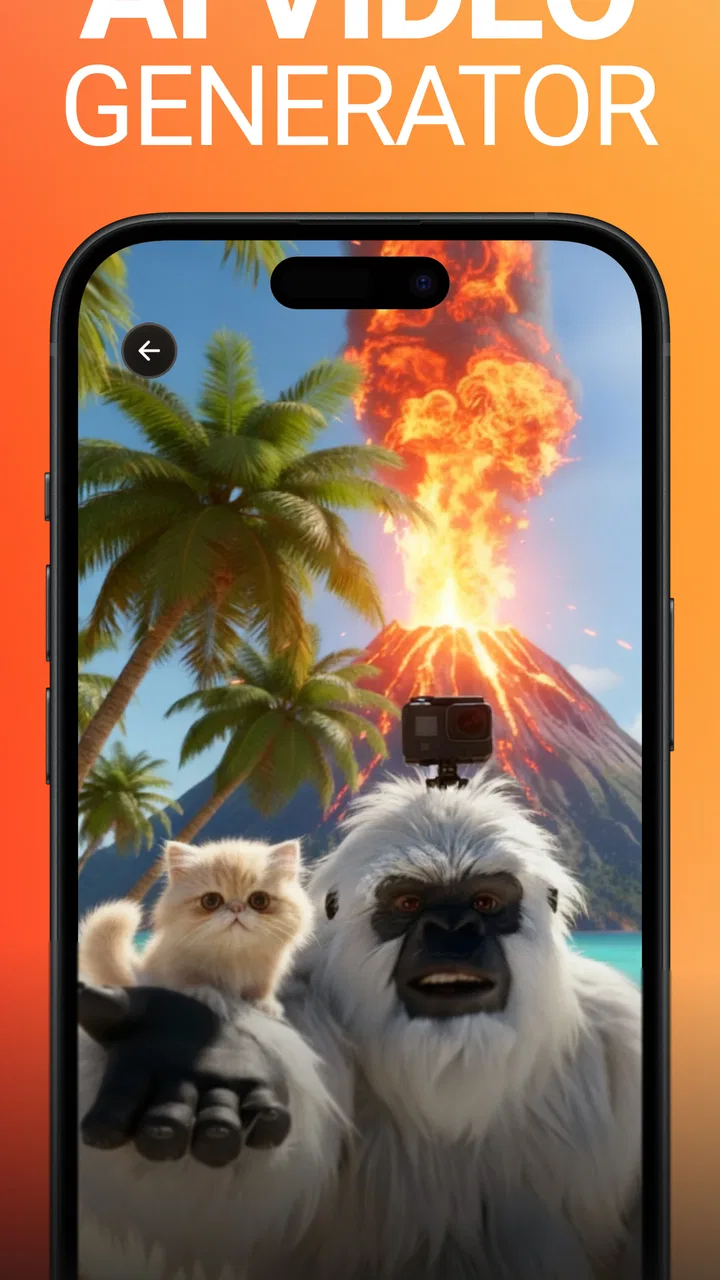
Flashloop: AI Video Generator
- 4.6
- Rating
- 500.00K
- Installs
- Free
- Price

 Analysis by App-foxy
I approached Flashloop: AI Video Generator as the kind of creative app someone might open when a still image feels too static and a full video editor feels like too much work. It sits in the art and design space, with a clear focus on making AI-assisted videos rather than offering a broad toolbox for every kind of visual project. My first impression is that its appeal comes from speed: you bring an idea, image, or visual concept, and the app is meant to help turn that starting point into motion.
That narrow purpose is important. Flashloop is not something I would choose as a replacement for a complete timeline editor, a professional motion-design package, or a careful manual animation workflow. I see it as a quick creative layer for people who want to experiment, make social content, animate a concept, or produce a visual message without learning a complicated editing system first. The app is free to install, although optional purchases range from $4.99 to $199.99 per item, so I would pay attention to the point at which casual experimentation becomes a paid workflow.
How Flashloop fits into a shared household
When I think about Flashloop on a shared phone, the main question is how the household can enjoy experimenting without mixing up drafts, personal images, and finished work. A little coordination makes short creative sessions easier and helps everyone understand what happens to a clip after it is made. That practical groundwork leads naturally to the choices I would make before starting a project.
You May Also Like

 Blood Strike: 2.5 Anniversary
Blood Strike’s Loadouts Turn Every Drop Into a Tactical Gamble
A close look at Blood Strike’s custom loadouts: how fast access to signature weapons reshapes its battle royale rhythm, rewards preparation, and narrows the gap between fights.

 Pandora - Music & Podcasts
Pandora’s Music Is Easy to Start, but Harder to Recover
Pandora’s strength is its low-effort path from a seed to a station. Its weak spot is how much confidence it asks you to place in connection, setup, and quiet recovery.

 8 Ball Pool
 Is Built on Rivalries, Rematches, and Routine
A close look at the rivalries, rematches, shared routines, and unanswered safety questions that turn a quick pool match into a persistent mobile community.

 Samsung Music
’s Quiet Strength Is Playing What You Already Own
Its reach comes less from spectacle than from dependable access to a personal library. That simplicity is both the app’s strongest retention engine and its ceiling.

 AccuWeather: Weather Radar
AccuWeather Review: A Quick, Clear Forecast for Everyday Decisions
For everyday plans, the best forecast is the one you can understand quickly. AccuWeather makes rain timing, radar, and local conditions easy to act on, with a few trade-offs.

 Hill Climb Racing
Why Hill Climb Racing Still Turns Crashes Into One More Run
A tiny car, a bumpy hill and one more upgrade: Hill Climb Racing keeps resurfacing because its simple chaos makes every near-miss feel personal.
More From Our News Desk



A practical use case beyond solo experimentation
A realistic household example would be a parent and teenager preparing a short invitation for a birthday gathering. One person might choose the wording and images, while the other experiments with turning that material into a moving clip. Flashloop can make that kind of collaboration feel more approachable than opening a conventional editor with multiple tracks, transitions, keyframes, and export settings.
The useful part of this arrangement is not just the final video. It is the quick back-and-forth while deciding what should move, what should remain readable, and which visual idea communicates the event best. A younger user may enjoy trying imaginative prompts or styles, while an adult can help check whether the result is clear and suitable to share. I would treat the app as a creative sketchbook for the household rather than as a place to store every important family video.
That distinction matters because AI-generated motion can be unpredictable. A result may look attractive at a glance but still contain movement that does not fit the message. For a school presentation, family announcement, or community post, I would review the complete clip before sending it anywhere. A few seconds of visual novelty are not automatically the same as a polished, understandable video.
Where it helps with everyday projects
I can see Flashloop being useful for turning a product photo into a more eye-catching post, giving a travel picture a little movement, creating a visual greeting, or building a quick mood piece from an idea that would otherwise stay in a notes app. It may also help a beginner understand the relationship between a written description and a moving image. That makes it more inviting than starting with a blank professional timeline.
For a shared device, the strongest workflow is to decide the purpose before opening the app. If the goal is a short announcement, prepare the text and choose the source image first. If the goal is exploration, accept that several attempts may be needed. This simple separation prevents the household from treating every generated result as final and makes it easier to judge whether the app is saving time.
One less obvious advantage is that quick generation can support visual comparison. Instead of arguing over an abstract idea such as “something more energetic,” two people can look at different interpretations and discuss what works. The trade-off is that this can also encourage endless tweaking. I recommend setting a small creative limit, such as choosing the best result from a short session, rather than chasing an imagined perfect version.
What I would keep separate on a shared phone
Flashloop is more comfortable for shared creative activity when each person knows which images and ideas belong to them. I would avoid mixing personal photos, school material, work assets, and family projects in one unplanned stream. Even without assuming anything about the app’s account design, good household organization means using clearly named folders or albums on the device and deciding who is responsible for saving the finished file.
This is especially useful when more than one person creates content during the same afternoon. A teenager may want to revisit an experimental clip, while a parent may only want the final invitation. Clear names and a quick review before saving reduce the chance of deleting the wrong version or sharing an unfinished one. These are small habits, but they matter more on a shared phone than they do during private use.
Setup, boundaries, and the creative workflow
I like to keep the first session small: choose one suitable source image, agree on the goal, and see whether the result is useful before building a larger project around it. This approach also gives a household a chance to set sensible limits around time, device space, and purchases without turning creativity into a complicated process. With those boundaries in place, the next consideration is how people coordinate responsibility and trust.
Starting without overcommitting
The app is free, which makes it easy to begin with a low financial barrier. I would still approach the first session as a test rather than assuming that every useful workflow will remain free. Since individual in-app purchases can reach $199.99, a household should decide in advance whether anyone is allowed to make purchases and who must approve them. That conversation is more useful than treating the download itself as proof that the whole experience costs nothing.
My preferred setup would be deliberately modest: choose one source visual, write one clear creative instruction, generate a result, and inspect it carefully. Starting with a large batch of images or a complicated concept makes it harder to understand what caused a good or bad outcome. A focused first attempt also gives you a better sense of whether Flashloop suits your style before you spend time organizing a larger project.
The current version is 1.0.34, and the app runs on Android 7.0 or later. That broad compatibility is helpful for households with an older Android phone, although compatibility alone does not guarantee that every device will feel equally comfortable for video creation. Screen size, storage space, processing speed, and the condition of the phone can all affect how pleasant a visual workflow feels. I would leave room for temporary files and avoid beginning a large project when the device is already crowded.
How I would test an idea
I would write prompts or instructions in plain, visual language. Rather than asking for something vague like “make it better,” I would describe the subject, mood, direction of movement, and intended audience. This does not remove the app’s unpredictability, but it gives me a clearer way to compare results. If a clip fails, I can change one part of the instruction instead of rewriting everything and losing track of what helped.
A useful advanced habit is to keep the source material simple during the first round. A clean image with one obvious subject is easier to evaluate than a crowded family photo or a busy collage. Once the movement looks convincing, I would introduce more complicated material. This staged approach is particularly helpful when a child and adult are working together, because it turns trial and error into a small lesson about visual communication rather than a frustrating guessing game.
I would also inspect the edges of the frame and any important text. AI motion can make a central subject look lively while weakening details that need to remain stable. If the result is intended for an invitation, classroom project, or public post, readability matters more than a dramatic effect. Flashloop’s fast creative appeal is strongest when the user accepts that generation is a starting point and performs a human quality check afterward.
Knowing when another tool is better
For a video that needs exact cuts, synchronized audio, subtitles, brand guidelines, or frame-by-frame control, I would choose a traditional editor. Those tools take longer to learn, but they provide the control that an AI-first workflow cannot replace. Flashloop makes more sense when the main challenge is creating motion from an idea, not when the main challenge is arranging a finished production with precision.
It is also not the best fit for someone who dislikes uncertainty. A conventional slideshow maker may be better for a family presentation where every image must remain exactly as placed. A manual animation app may be better for an illustrator who wants each movement to reflect a deliberate artistic decision. Flashloop’s value comes from exploring possibilities quickly, so users who want predictable repetition may find its strengths less important than its limitations.
Coordination, account boundaries, and trust
When several people use one device, clear expectations can matter more than a polished workflow: who is creating, who checks the result, and who decides whether it is ready to share. I would also make sure the person shown in an image is comfortable with its transformation, especially when a draft might leave the household. Those habits are particularly worth considering when younger users are involved, which brings age context into the conversation.
Agreeing on responsibility before creating
On a shared device, I would establish three simple boundaries: who may create, who may save, and who may share. These do not require special app features. They are household rules that prevent a creative experiment from becoming an accidental public post or an unexpected purchase. The person who starts a project should not automatically be the only person who decides whether the result is ready to leave the phone.
This is particularly relevant when a younger family member is involved. The age rating is Everyone, which makes the app broadly approachable in an age context, but that does not mean every generated idea is automatically appropriate for every audience. I would still supervise younger users according to the content they are making, the images they use, and where the finished videos may be sent.
For coordination, a shared naming pattern is surprisingly effective. A title such as “birthday invite draft” or “science project version two” tells everyone what a file is for without requiring a long explanation. I would keep the original image separate from the generated video, because the original may be needed for another attempt. This also makes it easier to compare a creative result with the source rather than remembering what changed.
Handling personal images thoughtfully
Before using a family photo, I would ask whether everyone shown is comfortable with it being transformed. That is not a technical judgment about Flashloop; it is a sensible trust boundary for any AI visual tool. A playful animation may be harmless inside the household but feel very different if it is posted publicly. Children’s images, school uniforms, home interiors, and recognizable locations deserve extra care.
I would use non-sensitive test material when learning the app. A landscape, object, or self-created illustration can reveal how the workflow behaves without involving someone else’s face or private setting. Once the household understands the process, it can decide which personal projects are appropriate. This is one of the strongest practical habits I can recommend because it separates learning the tool from making decisions about other people’s images.
Another useful boundary is to review the final clip with the person who appears in it. A generated movement may technically be harmless but still make the subject uncomfortable. Giving that person a chance to approve the result is especially important when the video will be shared beyond the household. The speed of AI creation should not remove ordinary courtesy.
Managing purchases without confusion
The free entry point is appealing, but the purchase range means I would not let a shared device handle payment decisions casually. If several people use the phone, everyone should know whether purchases are allowed, whether approval is required, and which project, if any, justifies spending. I would never assume that an enthusiastic child understands the difference between trying a creative feature and committing household money.
My advice is to evaluate the free experience first and identify the exact obstacle before considering a purchase. If the problem is unclear instructions, more paid access may not solve it. If the problem is that the app’s style does not match the project, a traditional editor may be a better investment of time. Paying should follow a demonstrated need, not simply the excitement of seeing an interesting first result.
Age context and everyday trust
The Everyone age rating makes Flashloop broadly approachable, but I would treat it as a starting point rather than a substitute for family judgment. The project, the images being used, and the intended audience all shape whether a particular session feels appropriate. Thinking about those everyday details helps clarify when the app is a comfortable shared activity—and when a different creative tool or closer adult guidance makes more sense.
Why the Everyone rating is only a starting point
An Everyone rating makes Flashloop easier to consider for a broad household, but age suitability is still about how the app is used. A child creating an animated drawing with an adult nearby is a different situation from a child independently transforming personal photos and sharing the results. The same creative tool can support a harmless project or create an uncomfortable social situation depending on the surrounding guidance.
I would explain the difference between making a draft and publishing it. That distinction is valuable for younger users because the app may make creation feel immediate, while sharing has consequences that are less visible. A family rule such as “show an adult before sending” is simple, clear, and more practical than expecting a child to judge every situation alone.
For teenagers, I would focus on consent and context rather than banning experimentation. They can learn a lot by comparing an original image with an AI-generated video, noticing which details changed and deciding whether the result still represents the subject fairly. That turns the app into a design exercise while keeping trust at the center of the activity.
When the app is not the right household choice
I would skip Flashloop for a household that needs strict manual control, a predictable export process, or a single shared workspace with formal project permissions. I would also look elsewhere if the main goal is editing long recordings, arranging dialogue, or producing a carefully timed presentation. The app’s concise AI-video focus is attractive, but it does not remove the need for a more complete tool when the project becomes technically demanding.
I would be cautious if the household has limited storage, an older phone that struggles with visual tasks, or users who become frustrated by repeated attempts. AI creation can be exciting, but it can also be less predictable than choosing a template or placing clips manually. In those cases, a simpler slideshow or conventional editor may produce a satisfying result faster, even if it feels less imaginative.
On the other hand, I would recommend trying it when the household wants to brainstorm visual ideas together. It is a good match for a quick invitation, a playful greeting, a concept sketch, or a short social clip where experimentation matters more than exact control. The app earns its place when it helps people move from “what if?” to something they can actually see.
My household verdict after using the app
Flashloop is an approachable Art & Design app from Buy Beaver that focuses on creating AI videos with a lighter learning curve than a full editing suite. Its store summary, “Create AI Videos,” describes the central purpose plainly, while the short description presents it as “Flashloop.” I found the concept easy to understand: it is for generating visual motion quickly, not for replacing every other video tool on a phone.
The app has built a noticeable audience, with an average rating of 4.5 from around 23K ratings and more than 100K installs. Those figures suggest that the idea is connecting with many people, but they do not remove the need to judge it against your own workflow. I would look at whether you enjoy exploring generated results, whether your device handles the process comfortably, and whether the free experience is enough for the projects you actually make.
For a shared household, my recommendation is positive with clear boundaries. Decide who may use the app, keep personal images organized, review anything involving another person, and agree on purchase approval before experimentation begins. The Everyone age context supports broad access, but supervision and consent still matter. These habits make the app feel like a collaborative creative tool instead of an uncontrolled source of drafts and surprises.
My final view is that Flashloop is worth trying for quick AI-assisted video ideas, especially when a family member, student, or casual creator wants movement without mastering a complex editor. I would not choose it for precision production, sensitive image work without discussion, or projects that depend on fully predictable results. The best way to use Flashloop is to treat each generated clip as a draft with creative potential, then apply your own judgment before it becomes something you share.
FAQs for Flashloop: AI Video Generator
01What is Flashloop: AI Video Generator?
Flashloop: AI Video Generator is an innovative app designed to create dynamic video content using artificial intelligence. It allows users to transform static images and text into engaging video loops with minimal effort. The app is ideal for social media enthusiasts, marketers, and anyone looking to create eye-catching video content quickly.
02How does Flashloop utilize AI in video creation?
Flashloop employs advanced AI algorithms to analyze and enhance images and text, converting them into smooth, visually appealing video loops. The AI can automatically adjust elements such as lighting, transitions, and effects to ensure a professional look, making it accessible for users without prior video editing experience.
03Is Flashloop suitable for beginners with no video editing experience?
Yes, Flashloop is designed with user-friendliness in mind, making it suitable for beginners. The app features an intuitive interface with easy-to-follow instructions, allowing users to create high-quality videos without needing prior editing skills. The AI handles much of the heavy lifting, making the process seamless and enjoyable.
04What are the key features of Flashloop?
Flashloop offers a variety of features, including AI-driven video creation, customizable templates, a rich library of effects and transitions, and the ability to export videos in different formats. Users can also add music and text to their videos, ensuring a personalized touch. The app is continually updated with new features and enhancements.
05Are there any limitations or cons to using Flashloop?
While Flashloop is a powerful tool, it may have limitations such as requiring a stable internet connection for optimal AI performance, and some advanced features might be locked behind a subscription model. Additionally, users with older devices may experience reduced performance due to the app's resource-intensive nature.
Pros
- Easy-to-use interface with intuitive design.
- Generates high-quality videos quickly.
- Wide range of customization options.
- Supports multiple video formats.
- Seamless integration with social media.
Cons
- Limited free version features.
- Occasional lag on older devices.
- Requires internet for full functionality.
- Subscription model can be pricey.
- Limited stock image library.

Flashloop: AI Video Generator
Gallery